
Sound Generator
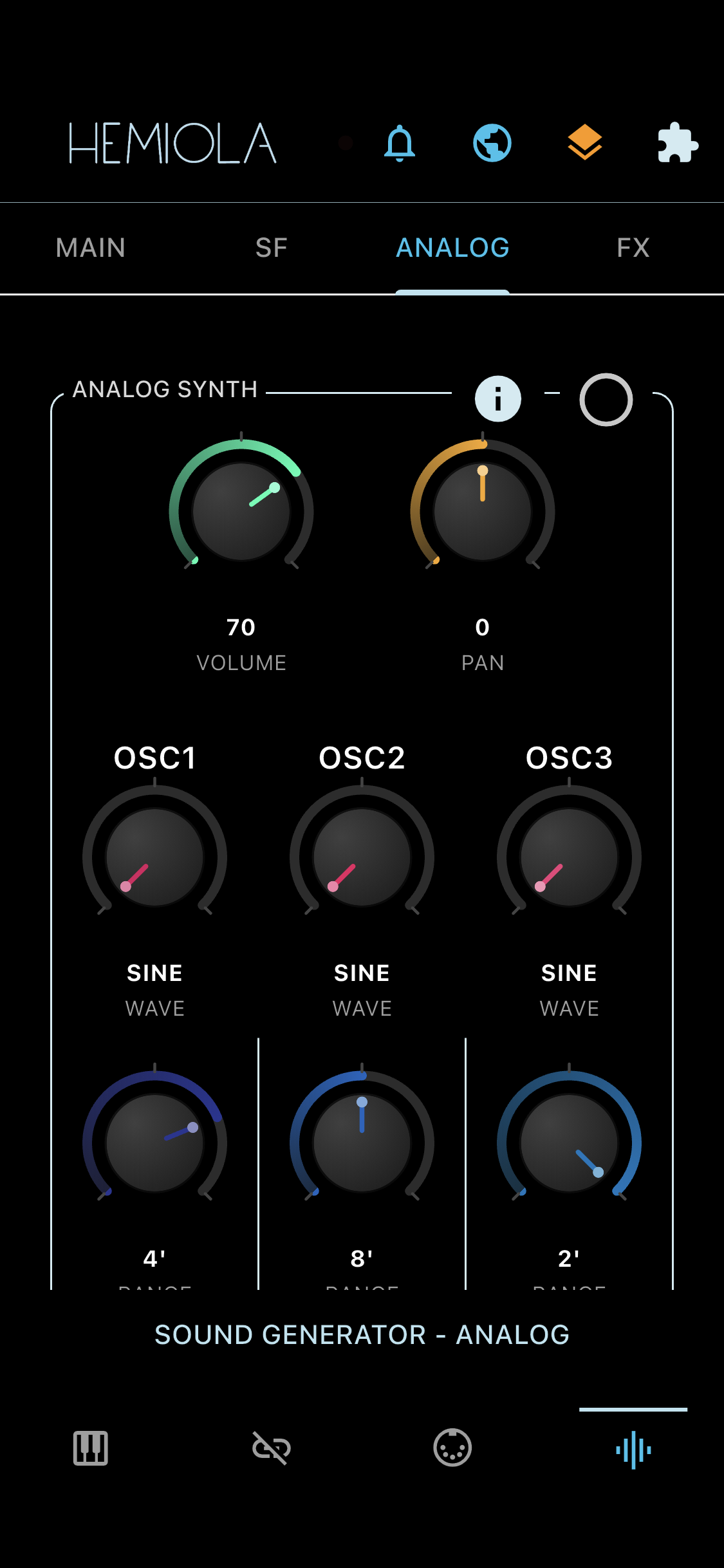
The Sound Generator includes two independent synthesizers: SoundFont and Analog. It responds to the piano keyboard, USB/BT MIDI devices, the virtual interface, and MIDI Network (iOS/macOS). Audio buffer size is configurable for minimum latency.
MAIN
- Master Volume: overall output level
- Channel Volume: volume sent via MIDI CC 7
- Pan: stereo panning (left ↔ right)
- Stereo mode: select mono or stereo output
A red dot appears on the top bar when clipping is detected. Lower the volume or activate the Limiter (Sound Effects) to resolve it.
PITCH
- Master Tuning: fine-tune in cents (−100 to +100); the A4 reference frequency is displayed in Hz
- Transpose: shift pitch by −12 to +12 semitones
- A4 switch: emits a reference A4 tone, affected by Transpose and Master Tuning
AUDIO OUTPUT
- Buffer Size: larger values reduce under-runs but increase latency
- AUTO: automatic buffer size management (recommended in most cases)
- Windows Exclusive Mode: gives Hemiola direct access to one output device for the lowest latency. While active, other apps on the same device are muted. If the device disconnects or is busy, Hemiola automatically falls back to shared mode. On multi-channel devices (4+ channels), you can select the active stereo pair (0-1, 2-3, 4-5, ...) in real time from the Exclusive panel. Audio is routed only to the selected pair; all other channels stay silent. The Release On Minimise option controls whether Hemiola releases exclusive ownership while in background and automatically reclaims it on resume. If exclusive activation fails, or if exclusive is re-enabled and still silent, tap Send Logs in the Exclusive panel and share the diagnostics report from the dialog.
If the Sound Engine icon turns red, an audio buffer under-run occurred — increase the buffer size or enable AUTO. The section also shows a best-effort estimate of current audio latency and the sampling rate (set automatically by the audio engine).
On first launch, Hemiola automatically runs an audio engine calibration that measures your device's latency, stability, and CPU performance, then configures the optimal settings. You can re-run calibration at any time by tapping the badge on the home screen.
SoundFont Synth
A sample-based synthesizer using the sf2 file format. Many free SoundFont collections are available online and can be uploaded to Hemiola.
- Volume: output level of the SoundFont module
- Pan: stereo panning of the SoundFont module
- Current: select the active SoundFont file (when multiple are loaded)
- Patch: select an instrument preset within the current SoundFont
- Custom: upload a local .sf2 file to Hemiola
Analog Synth
A digital emulation of a classic analog synthesizer, loosely inspired by the Minimoog Model D.
- Volume: output level of the Analog module
- Pan: stereo panning of the Analog module
Analog Oscillators
All three oscillators share the same set of parameters:
- Wave: waveform shape — Sine, Square, Sawtooth (×2), Triangle (×2), Pulse
- Range: base octave — 32', 16', 8', 4', or 2'
- Detune: fine-tune offset in cents (−100 to +100)
- Shift: semitone offset (−12 to +12)
- Volume: individual oscillator output level
- PW: pulse width (duty cycle) — only affects the Pulse waveform. 50% = square wave, lower/higher values produce thinner pulses
Low Frequency Oscillator (LFO)
- Route: Vibrato, Frequency (pitch), LPF Cutoff, or Stereo spread
- Wave: waveform of the LFO (same types as oscillators)
- BPM: oscillation frequency
- Depth: amplitude range of the modulation
Low Pass Filter
A 4-pole (24 dB/oct) Moog Ladder filter applied per voice. At high emphasis the filter self-oscillates, producing a pitched tone.
- Cutoff: frequencies above this threshold are attenuated
- Emphasis: boosts frequencies around the cutoff frequency (resonance) — at maximum the filter self-oscillates
- Amount: depth of filter envelope modulation (0 = none, 1000 = full sweep)
- Kbd Track: keyboard tracking — how much the cutoff follows the played note (Off, 33%, 67%, 100%)
LPF Cutoff can be modulated by the LFO (Route: LPF Cutoff) or by MIDI CC.
Filter Envelope
A dedicated per-voice ADSR envelope that sweeps the filter cutoff over time. The sweep range is controlled by Amount in the LPF section.
- Attack: time (ms) for the filter to open after note-on
- Decay: time (ms) to fall from the peak to sustain level
- Sustain: cutoff level while key is held (per mille, 0–1000)
- Release: time (ms) for the filter to close after note-off
Mono / Glide
When Mono is enabled, only one note sounds at a time. Held notes are tracked in a stack — releasing the current note returns to the previous one.
- Mono: toggle between monophonic (one note) and polyphonic (multiple notes) modes
- Priority: which note sounds when multiple keys are held — Low (lowest note wins), High (highest), or Last (most recent)
- Retrigger: when on, envelopes restart on each new note; when off, the pitch changes smoothly without retriggering (legato)
- Glide: portamento time (ms) — how long the pitch takes to slide between notes. 0 = instant
- Drift: analog oscillator drift — adds subtle random pitch instability to each voice, simulating analog VCO behavior (0 = perfectly tuned, 100 = maximum warmth)
- Voices: number of unison voices per note (1–8). Multiple voices are detuned symmetrically for a thicker sound. Only works in Mono mode
- Detune: spread in cents between unison voices (0–50). Higher values create a wider, more detuned chorus effect
Noise Generator
- White or pink noise oscillator — useful for adding breath, air, or texture to a sound. White noise has equal energy at all frequencies; pink noise has more bass energy (−3 dB/octave)
- Type: White or Pink noise
- Volume: output level of the noise
Loudness Envelope (ADSR)
Controls the amplitude envelope of the Analog synth. Uses exponential (RC) curves for a natural, analog-like response.
- Attack: time (ms) to reach full amplitude after note-on
- Decay: time (ms) to fall to the sustain level
- Sustain: amplitude level while key is held (per mille, 0–1000)
- Release: time (ms) to fade to silence after note-off