
Live Mode
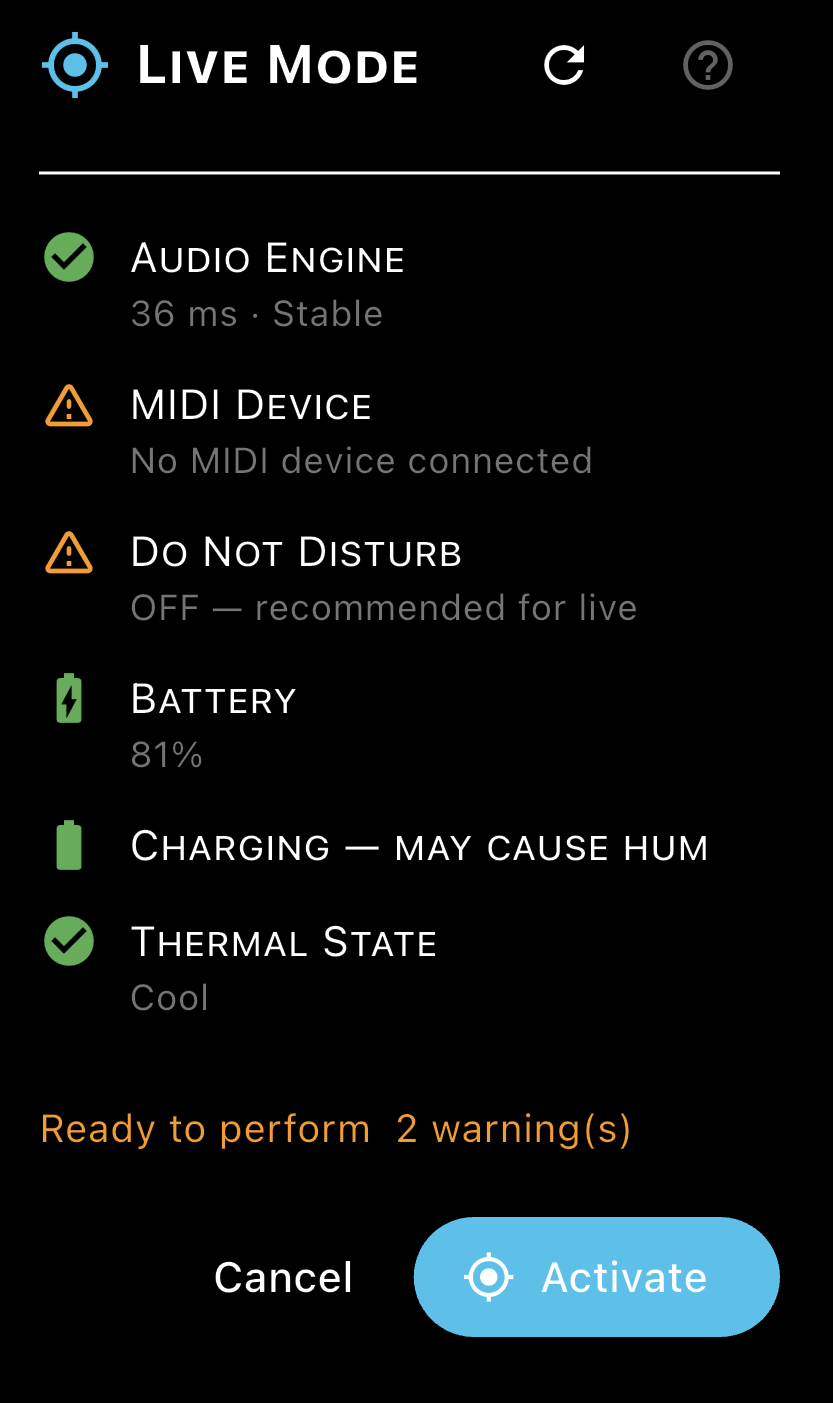
Live Mode prepares your device for a live performance. It checks all the conditions that could disrupt a performance on stage and lets you activate the audio engine protections in one tap.
Activating Live Mode
Tap the LIVE button on the Home screen to open the Live Mode dialog. The checklist shows the current status of your setup. When all checks pass (or only warnings are present), tap Activate.
- The synth engine starts automatically if it was not already running.
- The LIVE button turns accent-coloured with a border highlight while Live Mode is active.
Checklist Items
- Audio Engine: shows the measured latency grade from the last calibration. A Pro Grade result is ideal. If no calibration has been run, this shows '—'.
- MIDI Device: shows whether a MIDI controller is connected and its name. Orange means no device — you can still perform using the on-screen keyboard.
- Do Not Disturb: orange if DND is off. Enable DND from your device's notification bar before performing.
- Battery: orange if below 30%. Charge before a performance to avoid audio drop-outs caused by power management throttling.
- Charging: orange if a charger is connected. Chargers can introduce ground hum into the audio path — unplug before performing if you hear noise.
- Thermal State: orange (warning) or red (critical) if the device is hot. Thermal throttling degrades audio performance.
Deactivating Live Mode
Tap the ACTIVE button to reopen the dialog, then tap Deactivate.
Audio Interruptions
Even with Live Mode active, certain system events can interrupt audio. Hemiola handles these gracefully: all active notes are silenced immediately (MIDI Panic Soft) and a non-blocking banner appears.
Best practice for live performance: activate Airplane Mode or Do Not Disturb before going on stage, unplug the charger, and ensure the device is sufficiently charged (>50%).