
Sound Effects
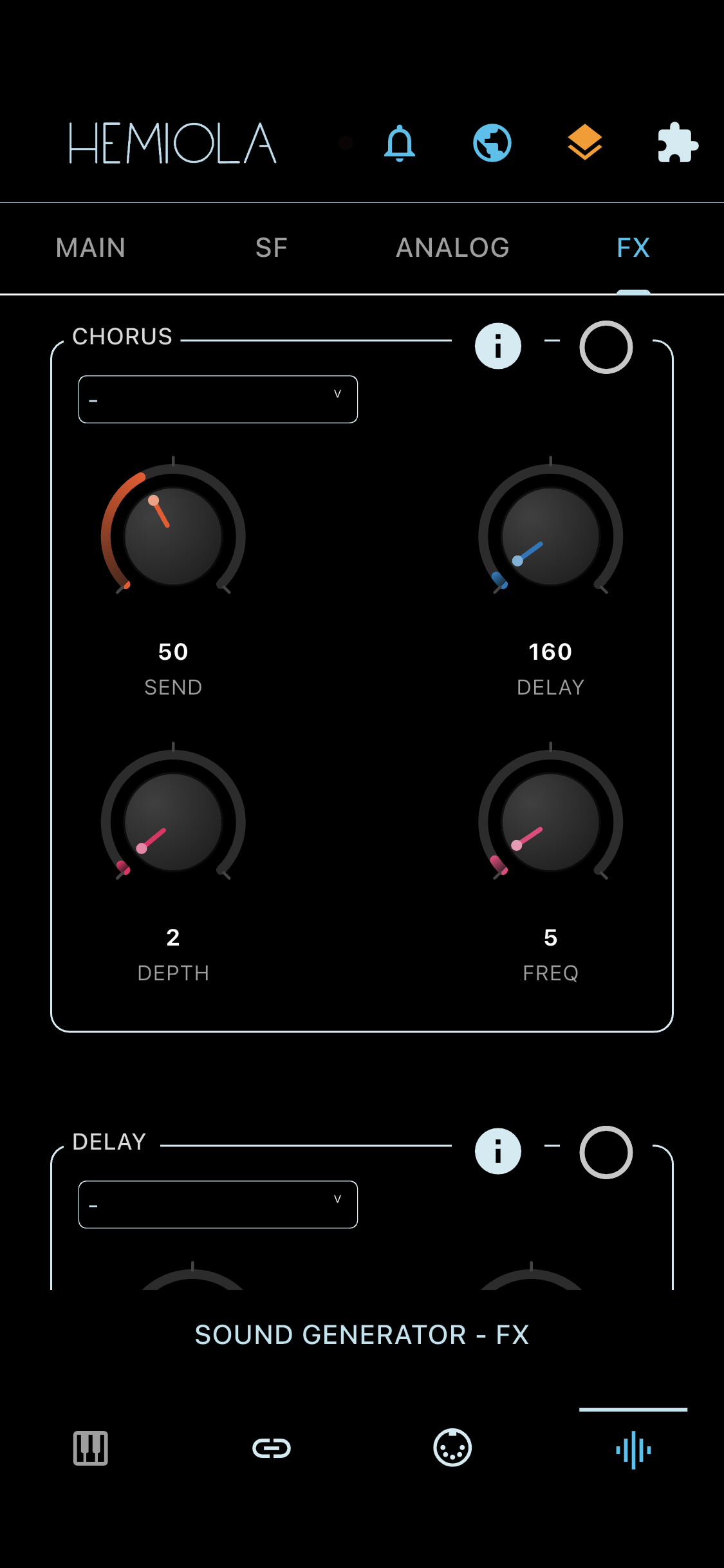
Audio effects are applied in series: SoundFont + Analog → Chorus → Delay → Reverb → Limiter.
Chorus
- Send: effect mix level (0–127; responds to MIDI CC 93)
- Delay: delay time in milliseconds
- Depth: modulation frequency range
- Freq: LFO speed of the chorus modulation
Delay
- BPM: repetition frequency
- Decay: damping per repeat — 0 % = infinite repeat, 100 % = off
- Amplitude: output level of the delay effect (%)
Reverb
8 presets: Vocal I, Vocal II, Bathroom, Small Room, Medium Room, Large Room, Church Hall, Cathedral.
- Send: input level to the reverb (responds to MIDI CC 91)
- Wet: output mix of the reverb signal (%)
- Room Size: simulated room dimension (%)
- Damp: high-frequency absorption (%)
- Spread/Width: stereo width of the reverb tail (%)
Note
Based on the Freeverb algorithm by Jezar, implemented via Dart Melty Sounds.
Limiter
Prevents clipping by compressing audio that exceeds the threshold. A sky-blue dot on the top bar indicates the limiter is engaged; a horizontal meter shows the current gain reduction.
- Threshold: amplitude level at which compression begins (%)
- Ceiling: maximum output amplitude after compression (%)
- Attack: time (ms) to engage compression after threshold is crossed
- Release: time (ms) to disengage compression after signal falls below threshold