
Configuration Tool
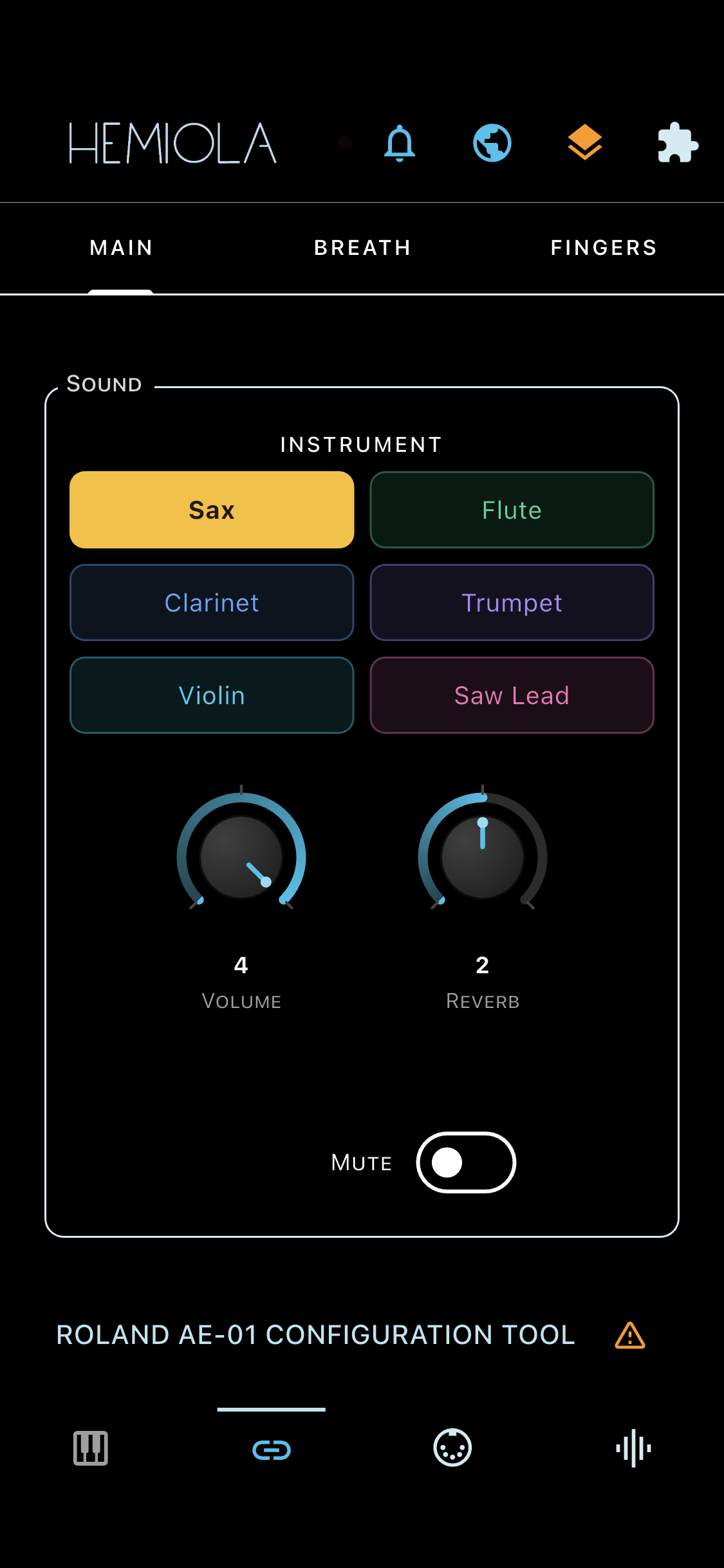
The Configuration Tool tab displays a native UI for the connected MIDI device. Connect a supported device and tap the Config tab to configure it.
How it works
- Each supported device has its own plugin that renders directly inside Hemiola.
- All parameter changes are sent to the device in real time.
- Use the Preset icon in the top bar to save and recall your device's configuration. The icon is accent-coloured when clean and orange when there are unsaved changes.
- When a plugin is active, an orange warning icon appears next to the bottom Configuration Tool title. Tap it to view the manufacturer disclaimer.
Note
If no device is connected, the tab shows a "No supported device connected" placeholder. When a device is active, a device-specific help section appears at the bottom of this help screen.
Multiple Devices
When two or more supported devices are connected simultaneously, a device-switcher button appears next to the preset icon in the top bar.
- Tap the Config tab icon again (while it is already active) to open the device-switcher menu and select which device to configure
- The menu shows all currently recognised devices; the active one is highlighted
- Each device keeps its own independent preset list
Supported Devices
- Tahorng Windkey — melodica-style digital wind instrument
- Akai EWI USB — digital wind controller
- Roland AE-01 Aerophone — digital wind instrument
- ClariiMini — digital wind instrument
- Moog Theremini — digital theremin