
Cloud Account
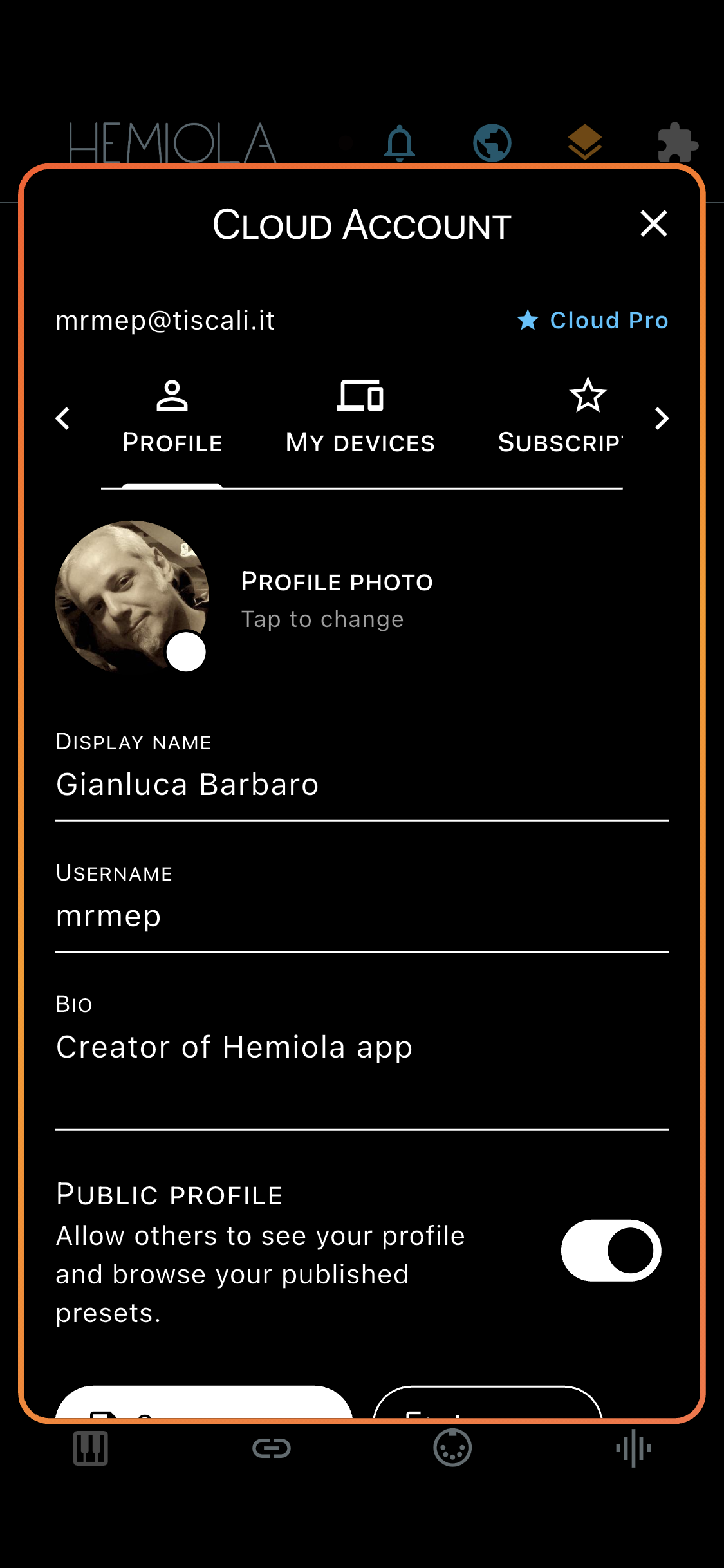
Sign in or create an account at hemiola.app, or directly from the Home screen by tapping the account icon. An active cloud subscription unlocks additional features and supersedes the one-time app purchase for as long as the subscription is maintained.
Subscription Tiers
| Feature | Free App | Pro App | Cloud Free | Cloud Pro | Cloud Premium |
|---|---|---|---|---|---|
| Piano & Sound Generator | ✓ | ✓ | ✓ | ✓ | ✓ |
| Presets per section | 3 max | Unlimited | Unlimited | Unlimited | Unlimited |
| Download shared presets | ✓ | ✓ | ✓ | ✓ | ✓ |
| Share your presets | - | - | - | ✓ | ✓ |
| Config Tool & MIDI (mobile) | ✓ | ✓ | ✓ | ✓ | ✓ |
| Config Tool & MIDI (desktop) | — | — | - | ✓ | ✓ |
| Settings backup | — | — | - | ✓ | ✓ |
| Backup snapshots | — | — | - | ✓ | ✓ |
| Multi-device sync | — | — | - | ✓ | ✓ |
App Pro = one-time in-app purchase (iOS/Android). Cloud Pro and Cloud Premium are recurring subscriptions. An active cloud subscription grants at least Pro-level app features on all platforms — including desktop — for the duration of the subscription. If the subscription lapses, the tier reverts to the last purchased one-time level.
Account Management
- Profile tab: edit your display name, profile photo, and public profile settings — enabling public profile allows the community to see your shared presets
- Subscription tab: view your current tier, upgrade from Cloud Pro to Cloud Premium, or manage your renewal
- My Devices tab: lists all devices registered to your account with their last-seen timestamp
- Backup tab: view the current backup status, configure the automatic backup interval, back up now, or restore from a previous snapshot. Requires Cloud Pro or Premium
- Shared Presets tab: manage your published presets (edit, hide, or delete). Requires Cloud Pro or Premium
- Login tab: optionally save credentials securely on the device for faster sign-in; saved credentials are shown with a dedicated indicator and can be removed with Forget Credentials
- When saved credentials are present, username and password are prefilled at startup for faster access; use Forget Credentials to remove them from secure storage
- Password reset and account deletion are available from the account page
Shared Presets
Publish your current Analog, FX, MIDI Mapper, or device settings as a community preset so other users can browse and download it. Requires Cloud Pro or Premium.
- Enable Public Profile (Profile tab) to make your published presets visible to the community — presets marked public but with a non-public profile show a warning icon
- Each published preset can be hidden (without deleting it) or deleted permanently from the Shared Presets tab
- You can edit the name, description, and hashtags of a published preset at any time
The profile is refreshed automatically each time you switch tabs in the Cloud Account dialog, so changes made on another device are always reflected.
Settings Backup
Automatic cloud backup of your settings and presets, configurable from the Cloud Account dialog → Backup tab. Requires Cloud Pro or Premium.
- Automatic Backup interval (Backup tab): choose Disabled, As Soon As Possible (30 s), After 5/15/30 min of inactivity, or After 1 hour of inactivity. The backup fires after the selected quiet period following the last change — not on a fixed schedule
- Only the differences since the last backup are transmitted (delta backup), keeping uploads fast and bandwidth-efficient. The baseline persists across restarts, so no redundant upload is made at app launch if nothing has changed
- Each backup creates a named snapshot. Browse the full history and restore any previous state from the Backup tab
- Backups are per-device: each registered device has its own independent backup history
Manual backup is also available from the Backup tab at any time. After a restore, the next automatic backup is always a full upload to reflect the restored state.
Device Registration
Each device running Hemiola is automatically registered to your account when you sign in with an active Cloud subscription. Registration enables per-device backup and lets you manage your devices from the cloud.
- Devices are identified by a unique UUID generated and stored locally on the device
- The device name is set automatically based on the platform (iOS, Android, macOS, etc.)
- Tap any device in the My Devices list to open Device Settings, where you can rename the device, or access premium device management features
- If you uninstall and reinstall the app, or install on a new device, a new UUID is generated and the device appears as a new entry in your account
Device Management (Cloud Premium)
Cloud Premium subscribers can manage their devices directly from Device Settings. These features are visible to all users but greyed out for non-Premium subscribers; tapping a greyed-out action shows a description and an option to upgrade.
- Delete Device: permanently remove a device and all its cloud backups from your account. This cannot be undone
- Transfer Presets: selectively copy presets between two devices. Choose the direction (from or to this device), then pick preset groups and individual presets to transfer. Name conflicts are resolved automatically by appending the source device name in parentheses
- Clone: completely replicate one device's configuration onto another. Choose the direction, then select Full Clone (settings + all presets) or Presets Only. Both modes overwrite the target — a double confirmation is required
After a reinstall or on a new device: sign in, then open Device Settings for the old device and use Clone to restore your previous settings and presets.